
Store
Courses & Resources
Practical courses for healthcare professionals, L&D teams, and anyone looking to work smarter with technology.
AI Prompt Libraries
Professional workflows. Powered by AI.
Not generic "write me an email" prompts. These are complete professional systems with structured prompts for instructional design, business operations, and creative direction.
Brand Strategy Prompt Engine
150+ prompts across 6 phases
From discovery to brand guidelines
eLearning Design Engine
122 prompts across 6 phases
Bloom's to Kirkpatrick, built for IDs
Visual Direction Library
109 prompts across 7 categories
Midjourney, Seedream, Nano Banana, Flux
The Client Whisperer
79 prompts for freelancer operations
Discovery to delivery to difficult conversations
Save 43%
Complete Prompt Bundle
All 4 libraries + quarterly updates for 12 months.
The Complete Collection
The Complete Copilot Collection
All 11 Copilot courses + prompt libraries. From foundations to healthcare-specific workflows, instructional design, deep research, and inbox automation. Every course includes a downloadable prompt library.
Save 60% with the bundle
Individual Courses
Or pick what you need
Each course stands on its own and includes a downloadable prompt library. Start anywhere, go at your own pace.
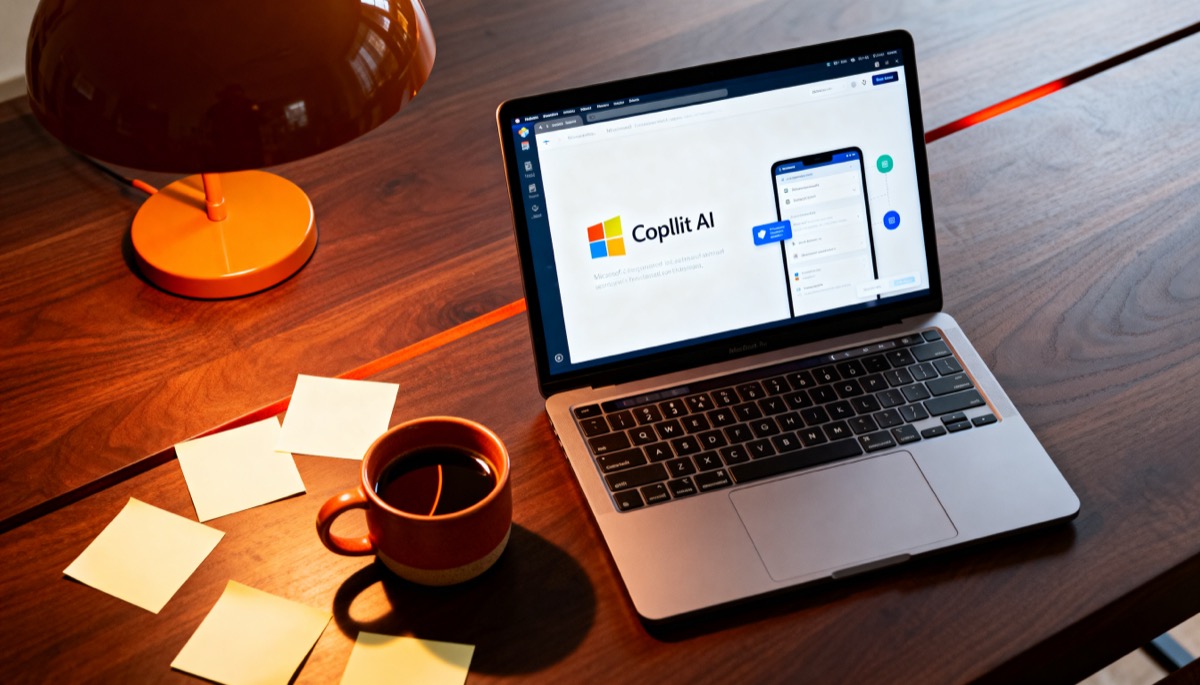
Copilot Decoded
Stop paying for something you don't understand.

Prompt Like a Pro
The difference between 'meh' and 'wow' is one framework.

Copilot for Email & Writing
Write 10x faster without sounding like a robot.

Copilot for Data & Analysis
The feature 80% of users don't know exists.

Copilot for Presentations & Meetings
Stop spending Sundays making slides.

Copilot Agents & Automation
Build AI tools for your team. No code required.

Copilot Notebook Masterclass
The advanced AI workspace most users don't know exists.

Copilot for Instructional Designers
Design training in half the time. Without cutting corners.

Copilot for Healthcare Teams
AI workflows built for clinical, admin, and compliance teams.

Copilot for Email Management
200 emails. 15 minutes. Nothing missed.

Copilot Researcher Agent
Deep research that cites its sources and does the thinking for you.
Who This Is For
Sound familiar?
The Skeptic
You tried Copilot. Got a bland paragraph. Decided it was overhyped. (It's not – you just need better prompts.)
The Power User
You use Copilot for basics but know there's more. You want the advanced stuff – agents, =COPILOT(), automation.
The Team Lead
You need your team to actually use the $30/month/user tool you're paying for. ROI matters.
50 Copilot Prompts – Cheat Sheet
Not ready to buy? Start here. 50 ready-to-use prompts across Word, Excel, PowerPoint, Teams, and Outlook. Yours free, no sign-up wall.
Download the Cheat SheetMore Courses
Coming soon
Copilot for HR & People Teams
Job descriptions, interview summaries, policy Q&A, and onboarding workflows.
Copilot for Compliance & Governance
Policy gap analysis, audit preparation, compliance review agents, and risk registers.
Copilot Pages
The collaborative AI canvas for brainstorming, research, and project planning.
AI Tools
Beyond Copilot
The AI landscape is bigger than Microsoft. These courses cover the other tools worth knowing.

Best Value
Complete AI Collection
All 11 Copilot courses + NotebookLM for Training + 12 prompt libraries. Everything you need to work smarter with AI.
8 courses. Save 61%.
Coming SooneLearning Templates
Professional training. Ready to customise.
15 premium Articulate Storyline templates across 3 specialist packs. Modern design system, WCAG 2.1 AA, SCORM 1.2 + 2004, light/dark mode. Built by an Instructional Designer, not a template factory.
Pack 1: Compliance Essentials
5 templates for mandatory training
- Code of Conduct
- WHS / Workplace Safety
- Cybersecurity Awareness
- Privacy & Data Protection
- Anti-Harassment & Respect
Pack 2: Onboarding Experience
6 templates for new starter journeys
- Welcome & Culture
- Culture & Values
- Role Pathways
- Systems Training
- HR Policies
- 30-60-90 Day Plan
Pack 3: Scenario Engine
4 branching scenario frameworks
- The Conversation (dialogue + tone)
- The Investigation (evidence gathering)
- The Escalation (crisis management)
- The Negotiation (strategic planning)
Best Value
Complete Template Bundle
All 3 packs. 15 templates. 40+ interaction patterns. One unified design system.
Save $294. All 15 templates, lifetime updates.
View All TemplatesWhy these aren't like other templates
Design system, not clip art
Unified typography, colour tokens, spacing grid. Every template looks like it belongs together.
10-minute colour swap
Change one theme colour and the entire template updates. No hunting through individual objects.
Accessibility first
WCAG 2.1 AA contrast, keyboard navigation, screen reader labels. Compliance built in, not bolted on.
Built by an ID
Designed by someone who builds corporate training for a living. Real branching logic, not placeholder slides.
FAQ
Questions answered
Do I need Microsoft 365 Copilot already?
Yes, you'll need an active Copilot licence to follow along. But Course 1 (Copilot Decoded) will help you figure out which version you need.
How long are the courses?
Each course is 8–12 interactive cards, taking 10–20 minutes. No hour-long videos. Just the good stuff.
Is this for beginners?
Courses 1–3 are perfect for beginners. Courses 4–7 are for people who've used Copilot but want to go deeper. The Notebook Masterclass (07) is especially powerful for project managers and team leads.
What format are the courses?
Interactive mini courses hosted on our learning platform. Text, images, quizzes – no video lectures. Works on any device.
What do I need to use the eLearning templates?
Articulate Storyline 360 to edit the source files. The templates include pre-published SCORM packages too, so you can upload directly to any SCORM-compliant LMS without Storyline. View all templates.
Can I buy one course or do I need the bundle?
Both! Each course is available individually, or save 63% with the complete collection.
Never miss an update
The AI space moves fast. These courses stay current. Get notified when content is updated, new modules drop, or something changes that affects how you use the tools.
Something went wrong. Try again or email hi@nicgallardo.com
No spam. No marketing. Just update notifications.